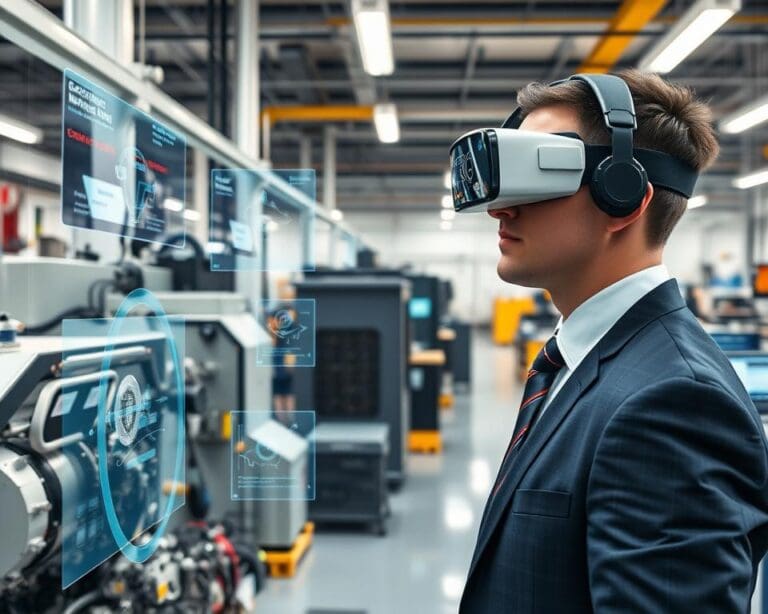
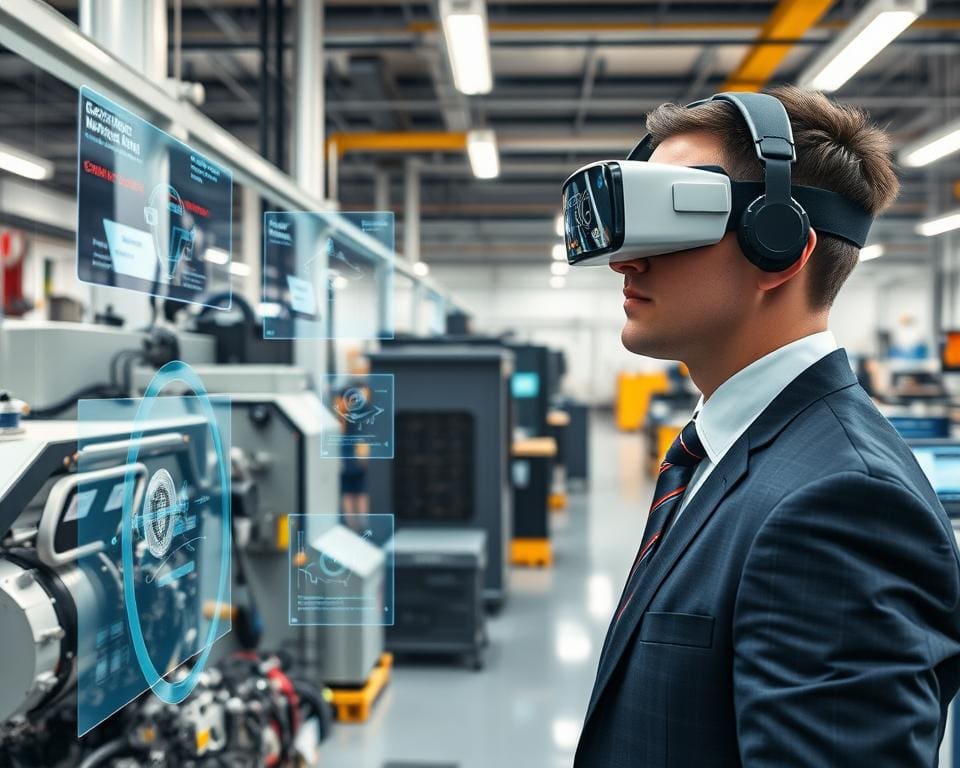
Augmented reality maintenance places digital information over the equipment in front of you. It can show three-dimensional models, diagrams, asset data and visual instructions while you inspect or repair a machine.
With AR in technical maintenance, you can view work instructions without leaving the work area or searching through printed manuals. Microsoft Dynamics 365 Guides describes how holographic prompts can guide workers through each task. PTC Vuforia also shows how digital content can connect with physical products and equipment.
This article examines inspections, fault diagnosis, AR repair guidance and remote support. It also covers training, digital reporting and compliance evidence across manufacturing lines, utilities, transport, energy, aviation and building services.
Augmented reality for engineers supports skilled work; it does not replace competence, risk assessments, isolation procedures or manufacturer instructions. As the UK Health and Safety Executive makes clear, digital tools must support safe systems of work, training and supervision.
Effective industrial augmented reality depends on accurate content, suitable devices, reliable connectivity and secure data. It should also link with maintenance technology, such as asset registers, work orders, service histories and computerised maintenance management systems. When these digital maintenance tools fit your existing processes, they can improve decisions without disrupting safe working practices.
What is augmented reality maintenance?
The AR maintenance definition is a maintenance approach that places digital information in your view while the real asset stays visible. You can use a headset, tablet or smartphone to see numbered steps, arrows, labels, warnings, drawings, videos and equipment data.
With this approach, you can identify the correct component and follow the right sequence. You can check measurements, confirm each action and record completed work without moving between the asset, a paper manual and a separate computer.
Visual guidance can support infrequent, complex or safety-critical tasks. Your team needs current, approved content for this to work well. Instructions must be reviewed and controlled, since obsolete guidance could lead to unsafe work or incorrect repairs.
How augmented reality supports maintenance technicians
Augmented reality technician support gives you clear information at the point of work. Industrial AR software can display maintenance work instructions over the correct valve, panel, motor or control unit. The system may highlight a part, show its identification number and guide you through each stage.
Connected worker technology can link technicians with asset records, service histories and inspection forms. You can use these tools to confirm torque values, capture readings and report faults as you work. This creates a clearer record for supervisors and future maintenance teams.
AR does not repair equipment by itself. It may show you what to do, yet it cannot guarantee that a fault has been diagnosed correctly. You still need suitable training, sound judgement and approved safety procedures.
Microsoft Dynamics 365 Guides demonstrates how role-based steps can be delivered through mixed-reality devices. Siemens industrial digitalisation material presents digital instructions and connected-worker tools as support for industrial operations and service work. ISO 55000 asset-management principles stress reliable information, controlled processes and effective asset management throughout its life cycle.
The difference between augmented reality and virtual reality in maintenance
The key point in augmented reality versus virtual reality is the view of the physical workplace. Augmented reality keeps the real machine visible and adds digital guidance. Virtual reality places you inside a computer-generated environment, with no direct view of the actual asset.
AR and VR maintenance tools serve different purposes. AR can guide you during an inspection on a live production line. Virtual maintenance training can place you in a safe industrial simulation, where you practise isolation steps, component changes or emergency responses.
Mixed reality maintenance combines digital objects with a detailed view of the workplace. It can support spatial guidance, equipment training and design reviews. Your choice depends on the task, the working conditions and the level of interaction required.
Common technologies used in AR maintenance
AR glasses for maintenance can leave both hands free while you handle tools. HoloLens maintenance uses Microsoft HoloLens devices to present spatial instructions, diagrams and remote guidance. Tablets and smartphones support mobile AR applications for teams that need a flexible, lower-cost option.
Computer vision maintenance tools use cameras and software to recognise equipment, parts and physical markers. This helps the system place instructions in the correct position. Sensors can track movement, readings and task progress during an inspection.
Three-dimensional models support 3D asset visualisation, giving you a clearer view of hidden assemblies and complex layouts. When these models connect with asset data, they can make technical information easier to understand without replacing established engineering controls.
How augmented reality is used for technical inspections and repairs
Augmented reality helps you inspect equipment and complete repairs with clear, model-specific guidance. You can scan an asset, select its serial number, or open the linked work order. The system can load the approved procedure for that exact machine.
These digital tools support planned work and urgent repairs. They connect the physical asset with current instructions, safety controls and recorded evidence.
Step-by-step repair instructions and visual overlays
AR repair instructions guide you through each task in the correct order. Visual maintenance overlays can show arrows, labels, highlighted parts and numbered steps directly over the equipment. This creates a guided repair process with less need to consult printed manuals.
Digital work instructions may include photographs, animations, videos, wiring diagrams, torque values, tolerances, warnings and confirmation prompts. You might receive prompts to remove a guard, isolate an energy source, check a connector, replace a filter, tighten fasteners or complete a functional test.
- Scan the asset or choose it from the approved work order.
- Check the model, serial number, procedure version and permit details.
- Follow the isolation, lockout/tagout and guard removal steps.
- Inspect, repair or replace the highlighted component.
- Confirm measurements, torque values and functional test results.
Your organisation’s safe system of work must define isolation controls, permit requirements and hold points. These controls must reflect UK legal duties and the guidance from the Health and Safety Executive on safe maintenance, competent people and suitable procedures.
You can confirm each step by voice, gesture, touchscreen input, barcode scan or completion record. Procedures should be version-controlled and approved by a competent subject-matter expert. Updates are needed when equipment, processes or regulations change.
Remote assistance from maintenance experts
Remote AR assistance lets you share your view of the asset with a specialist who may be elsewhere. Remote maintenance support can include live annotations, photographs and technician video support. An expert can point to a valve, connector or test point while you keep your hands on the task.
Remote expert guidance is useful when a site lacks specialist knowledge. Mixed-reality collaboration allows both people to discuss the same component and follow the same procedure. Access controls should protect personal data, operational records and any commercially sensitive information.
Microsoft Dynamics 365 Guides describes spatially anchored instructions, task steps and hands-free guidance. These features can help you keep attention on the equipment rather than switching between a manual and the work area.
Equipment identification and fault diagnosis
AR equipment identification uses a barcode, QR code, tag or visual marker to locate the correct asset record. Visual asset recognition can support industrial computer vision by matching the equipment shape, label or component layout with stored data.
During an augmented reality fault diagnosis, the system can display likely failure points and approved checks. An augmented reality inspection may guide you to test a fuse, inspect a connector, check a filter or compare a reading with the permitted tolerance.
Predictive maintenance AR can combine sensor readings, service history and inspection results. You can use this information to spot wear, plan parts and assign work before a failure interrupts production. The technician must still follow the approved procedure and verify each result.
Digital documentation and maintenance reporting
Each completed step can create digital maintenance records linked to the asset, technician and electronic work orders. Maintenance data capture may include readings, photographs, signatures, parts used, test results and time spent on the task.
AR inspection reports provide a clear record of what you checked and when. They can show missed steps, failed tests and required follow-up work. This supports process control and documented information under ISO 9001 quality-management principles.
Paperless maintenance reduces manual transcription and keeps approved records in one system. Your team can review current evidence during audits, asset reviews and future repairs. Supervisors can check that permits, isolation steps and hold points were completed before the equipment returns to service.
Benefits of using augmented reality in technical maintenance
Augmented reality can give you approved guidance at the point of work. You can view digital training instructions without searching through manuals or waiting for a specialist. This can support faster decisions, better consistency and stronger maintenance productivity.
Reducing downtime and maintenance errors
Clear overlays can identify the correct asset, part and connection. This may reduce incorrect-part selection, skipped steps and faults caused by similar-looking components. With fewer repair errors, you may improve the first-time fix rate and reduce maintenance downtime.
Remote assistance can connect a technician with an expert soon after a fault is found. This is useful at remote sites or specialist facilities where support may be several hours away. Faster guidance can shorten mean time to repair and help return equipment to service.
Results are not automatic. AR maintenance efficiency depends on accurate content, network performance, lighting, device comfort and technician adoption. Complex faults may still need specialist testing. Device setup and inaccurate overlays can limit maintenance productivity.
Measure the effect against a clear baseline. Track downtime, mean time to repair, repeat visits, procedural deviations, rework, first-time fix rate and equipment availability. Include the time needed to create and update digital instructions before judging the business case.
Improving technician training and knowledge transfer
AR technician training lets you practise tasks with guidance in the work setting. This form of immersive learning can make complex procedures easier to follow. It can support workforce development without removing every technician from live operations.
Experienced staff can record approved methods for newer workers. This strengthens maintenance skills transfer and reduces reliance on informal advice. Digital training instructions can show each step, required tool and inspection point in a consistent format.
You should review training time, assessment results and repeat errors before and after deployment. Content must match current equipment and site procedures. Poorly maintained instructions can create confusion and weaken trust in the system.
Enhancing safety and compliance
AR maintenance safety tools can place hazards, isolation points and protective equipment requirements in your view. Safe work instructions can guide checks before a task starts. These prompts support digital risk controls when they are linked to approved procedures.
Maintenance compliance technology can record completed steps, confirmations and exceptions. This creates audit-ready maintenance records with a clear link to the task, asset and worker. Your records should follow a consistent data structure, with ISO 14224 offering a useful framework for reliability and maintenance data.
Research from Aberdeen Strategy & Research can help you define measures such as asset availability and mean time to repair. Microsoft industrial case studies describe mixed-reality guidance and remote assistance in specific organisations. Treat reported results as organisation-specific, not as a promise of universal savings.
How to implement augmented reality maintenance in your organisation
Begin with a clear maintenance problem, not a device purchase. You may need to reduce repair delays, repeated inspection errors, lengthy training or limited access to specialists. Map the current process and record downtime, repair times, repeat visits, safety observations, training needs and document quality. This baseline will guide your maintenance digital transformation.
Choose a stable, repeatable task with enough value to justify AR content. Involve technicians, engineers, safety teams, IT staff, information-security specialists and equipment manufacturers. Check that drawings, procedures, warnings and isolation steps are current and approved. Your augmented reality maintenance strategy should also cover CMMS links, access controls, encryption, device updates and rules for photographs or recordings.
Match the device to the workplace. Compare headsets, rugged tablets and smartphones for comfort, gloves, battery life, cleaning, connectivity and protective equipment. Check approval for hazardous areas, as a commercial headset may not be safe in an explosive atmosphere. Start with an AR pilot project at one site or across one asset family. Train users in the workflow, safe working, privacy and manual fallback procedures, then measure repair time, first-time fixes, repeat work, errors and record quality.
Use the results to build a total-cost business case covering content, licences, integration, support, training, cybersecurity and replacement cycles. Scale only when the pilot proves safe and useful. The UK Government Service Standard, National Cyber Security Centre guidance, ISO 55001 and ISO 45001 can support secure industrial technology adoption. Review each procedure after equipment or regulatory changes, and improve your implement AR maintenance programme through regular feedback.